The Best Tablets for Linework
Comparing the three tablets I use daily: iPad, Cintiq 24 Pro, and Movink 13

Some drawing tablets make linework a dream, while others make it a nightmare. Over the years, I've discovered some tablets are way better for linework than others, so I'm sharing my top picks and why they work. Drawing is HARD, so I'm all about making it as easy as possible to get the best results.
My top 3 considerations for linework:
Precision and control of your stylus and lines
Accurate pressure sensitivity to capture stroke subtleties
Physical comfort during high-precision drawing
I'll compare these 3 tablets I use daily: Cintiq 24 Pro, iPad, and the Movink.
Cintiq 24 Pro
To be blunt, I don’t enjoy doing linework on my Cintiq. The biggest issue is the thick glass screen which makes the stylus tip feel far away from the actual mark you’re making. This feels very unnatural and gives me less control over my lines. It also makes my grip tighter and contributes to hand and wrist pain. The screen is glass with a toothy finish, but it’s still a bit too smooth for me.
One upside is the Cintiq stylus is a lot more comfortable to grip than the Apple Pencil and has better pen pressure range that allows for more sensitive mark-making.
The Cintiq shines most when working on colorful expressive paintings that don’t need as much precision and control. Connected to a fast computer that can handle large Photoshop files, it’s a powerhouse that makes my digital workflow incredibly fast.
iPad (2021 iPad Pro, 5th gen, 12.9-inch)
My iPad is my favorite tool to do linework with. I use it for loose sketching, value studies, and even detailed commercial work. The key advantage is the thin glass display—the distance between the stylus tip and the mark appearing on screen is minimal. This precision feels very natural and allows me to have excellent line control. The pressure sensitivity is not as precise as what you would get with a Wacom tablet, but there is a good enough range that makes it feel natural and responsive.
The iPad is also incredibly light and portable. For me, getting started is the hardest part of drawing so being able to just open it up and start drawing has saved me a lot of mental energy and time.
The accessories that make it work:
The glass iPad surface is too slippery for me and I don’t get enough tactile feedback or control of the stylus. So, I use a textured screen protector (Linked here) to add some grip to the surface. The downside is it makes the light from the screen refract a bit so you’ll notice some graininess that can be distracting if you’re looking for complete color accuracy. Personally, the grain doesn’t bother me even when working on colored pieces, and I mainly stick to linework on the iPad anyway.
As a working professional, I can’t rely solely on the iPad due to Procreate’s file size limitations and workflow constraints. Even connecting my iPad via Sidecar to my laptop slows down my workflow too much.
Despite all of this, my iPad is still my go-to for linework and I often work around this limitation by starting pieces on the iPad, then moving to Photoshop and Cintiq for advanced work. This is the exact process I went through when doing my Blitmap comic covers.
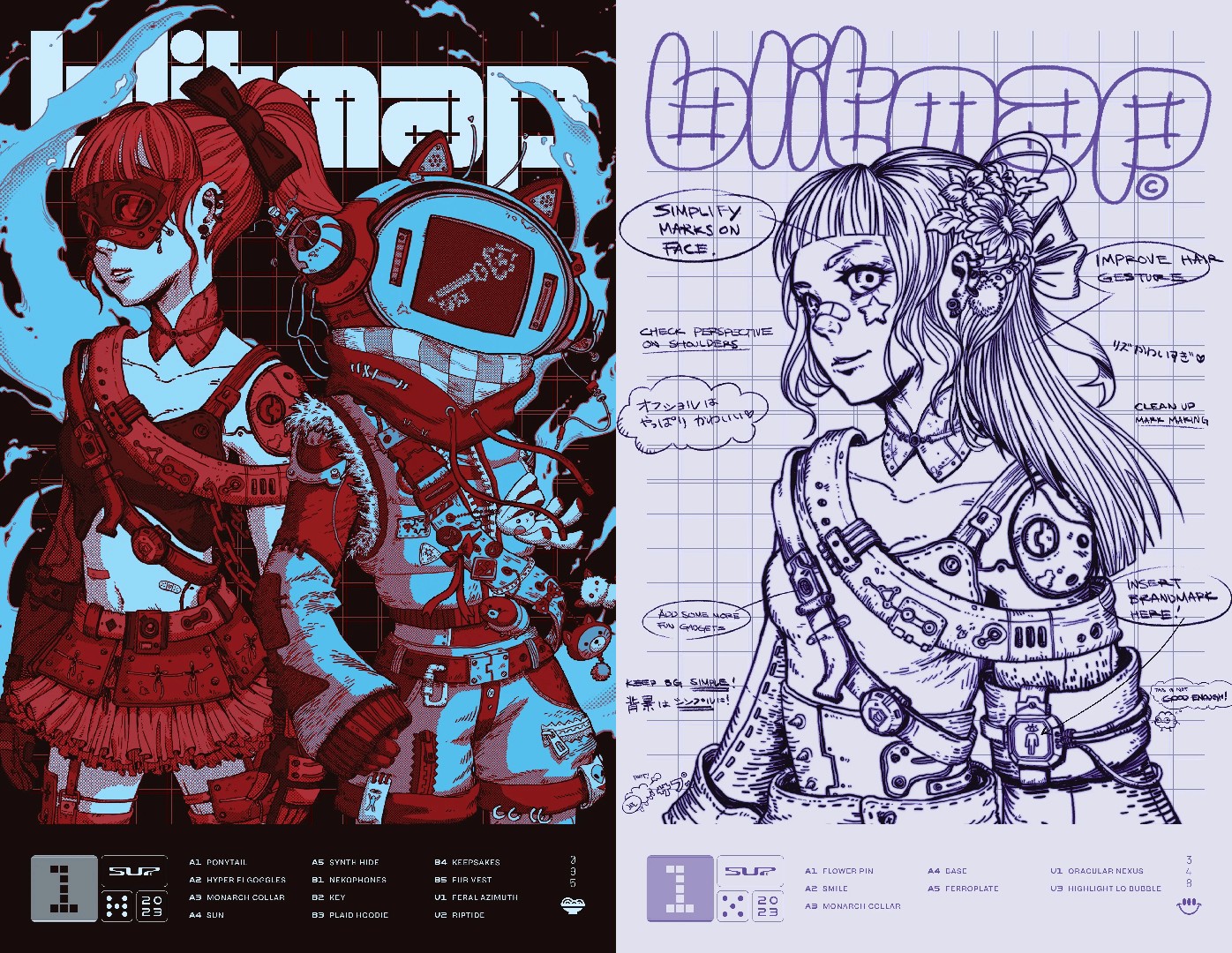
↑Linework was done on iPad, final tweaks and compositing done on Cintiq/Photoshop.
↑ Timelapse from Procreate
Movink 13
The Movink is Wacom's newer creative pen display that I bought last year for travel, and it's a fantastic all-rounder. It combines the best of both iPad and Cintiq: incredibly thin textured glass OLED display that feels seamless and natural. The screen is a subtly textured glass but much better than the Cintiq—almost buttery to draw on. This makes it very precise and fun to do linework on. The OLED colors are incredible for colored painting, and it only needs one USB-C cable, making it perfect for travel. The one downfall is the included pen is very flimsy, but the screen is compatible with most other Cintiq pens.
I wish Wacom made a larger version because it gets a little cramped when working on larger pieces, but for most pieces, the Movink works great.
I still prefer the iPad for linework and casual sketching because I don't have to connect it to a computer to start drawing, but the Movink is slowly replacing my big Cintiq because of its versatility.
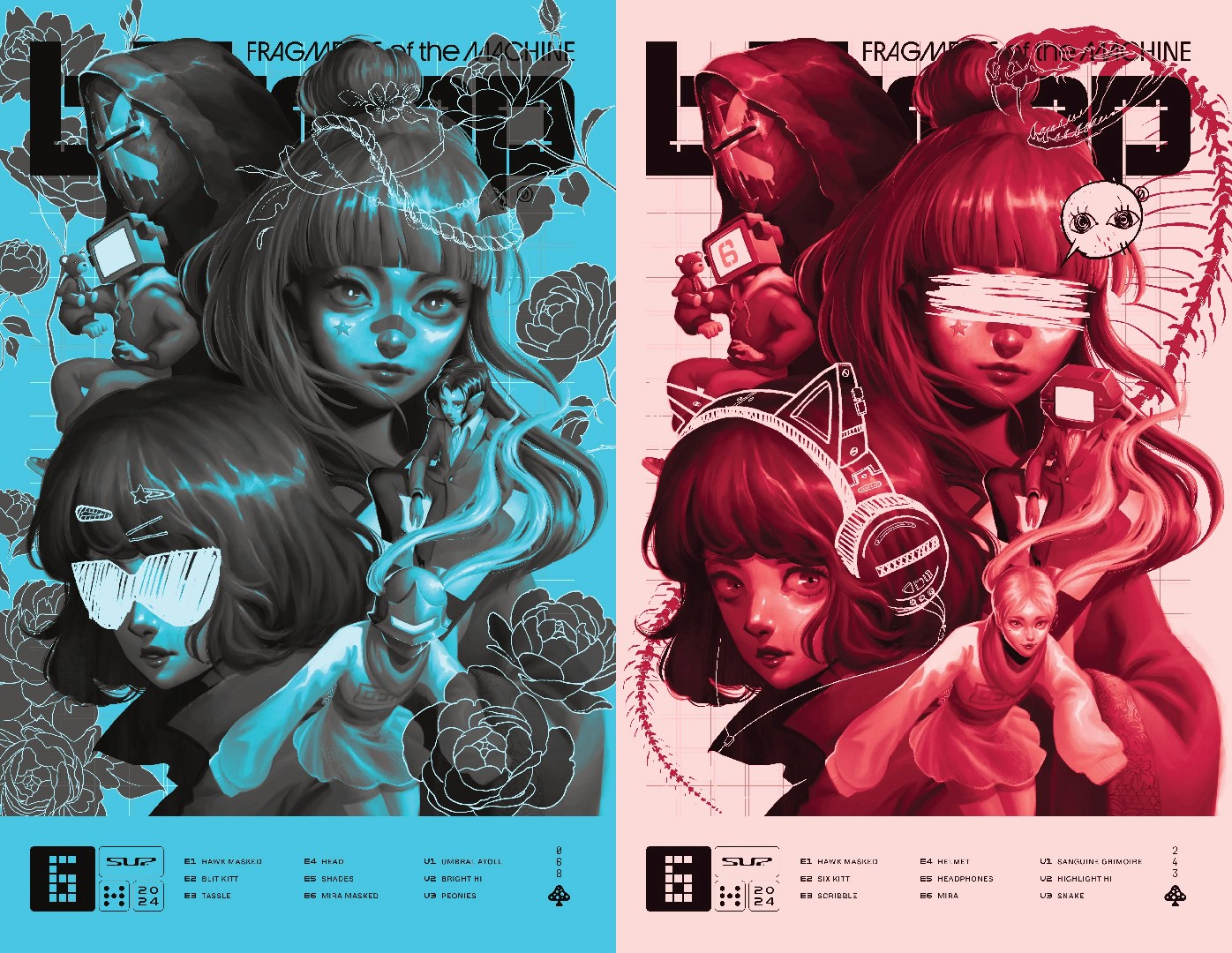
↑Blitmap Issue 6 covers done on Movink & Photoshop
Final Thoughts
Although the tool is not what makes a good artist, I think it helps make it easier to produce good, consistent results. Every artist has different preferences, but I hope sharing mine gives you some insight into choosing the right tools that set you up for success.


